Quick summary
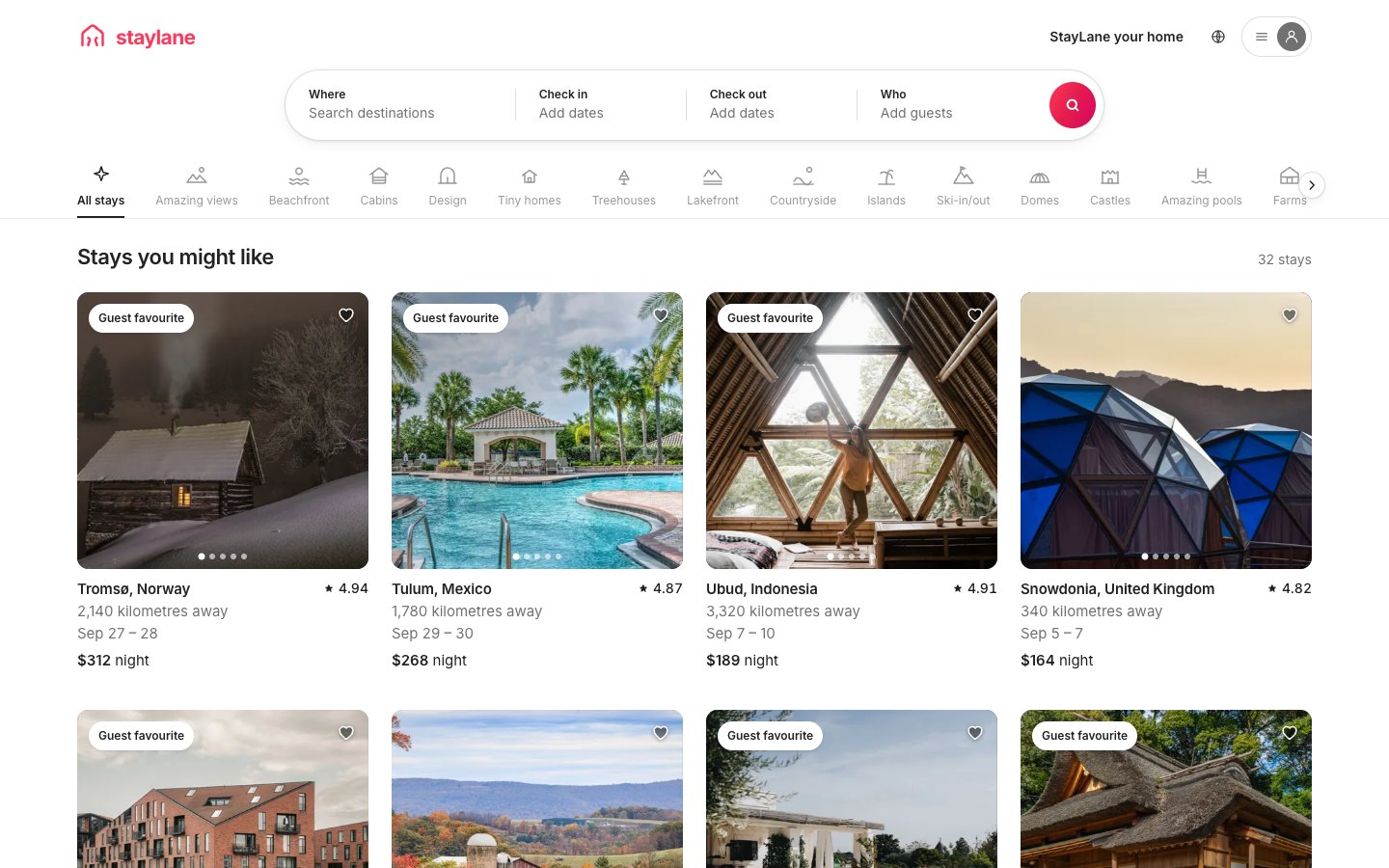
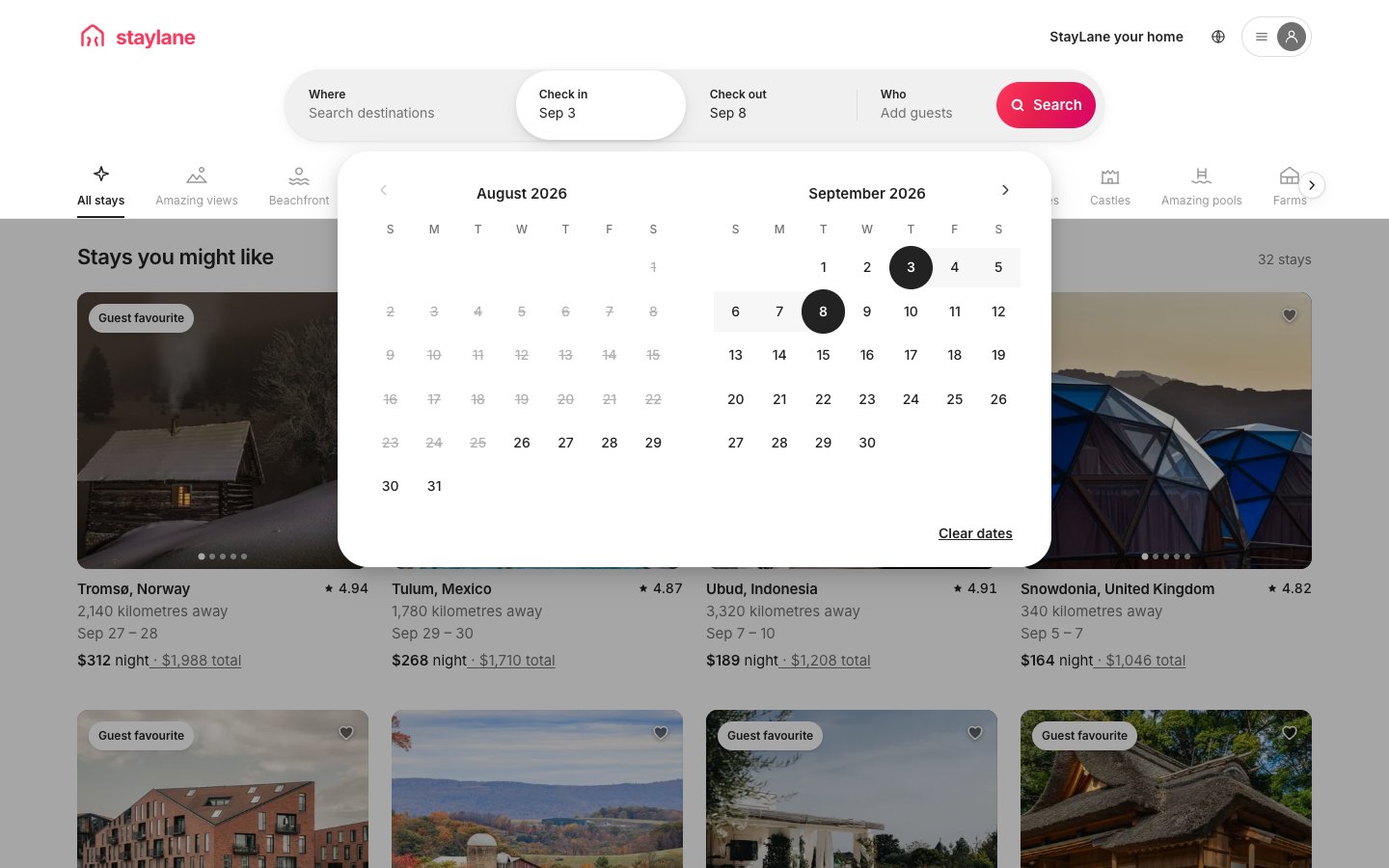
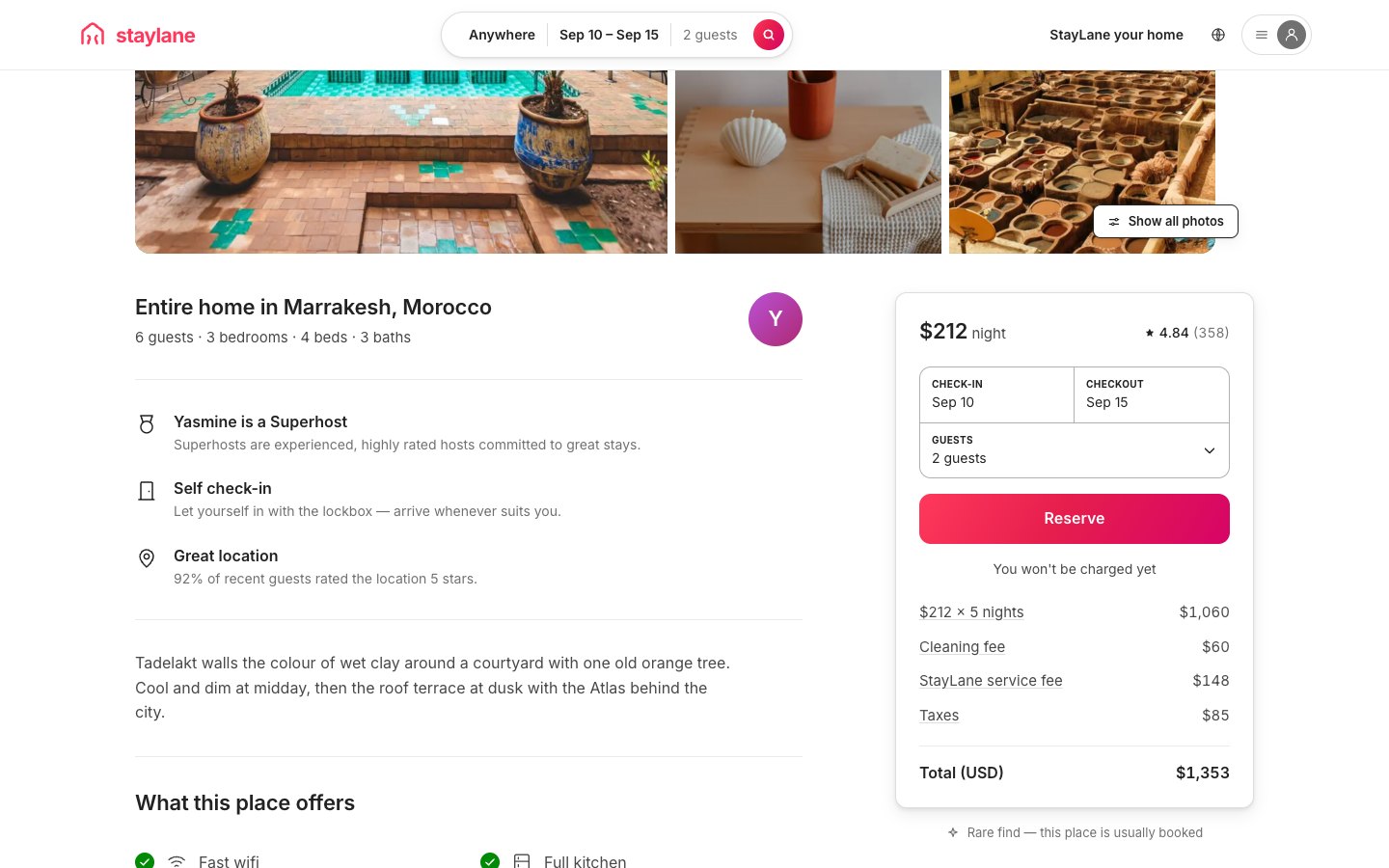
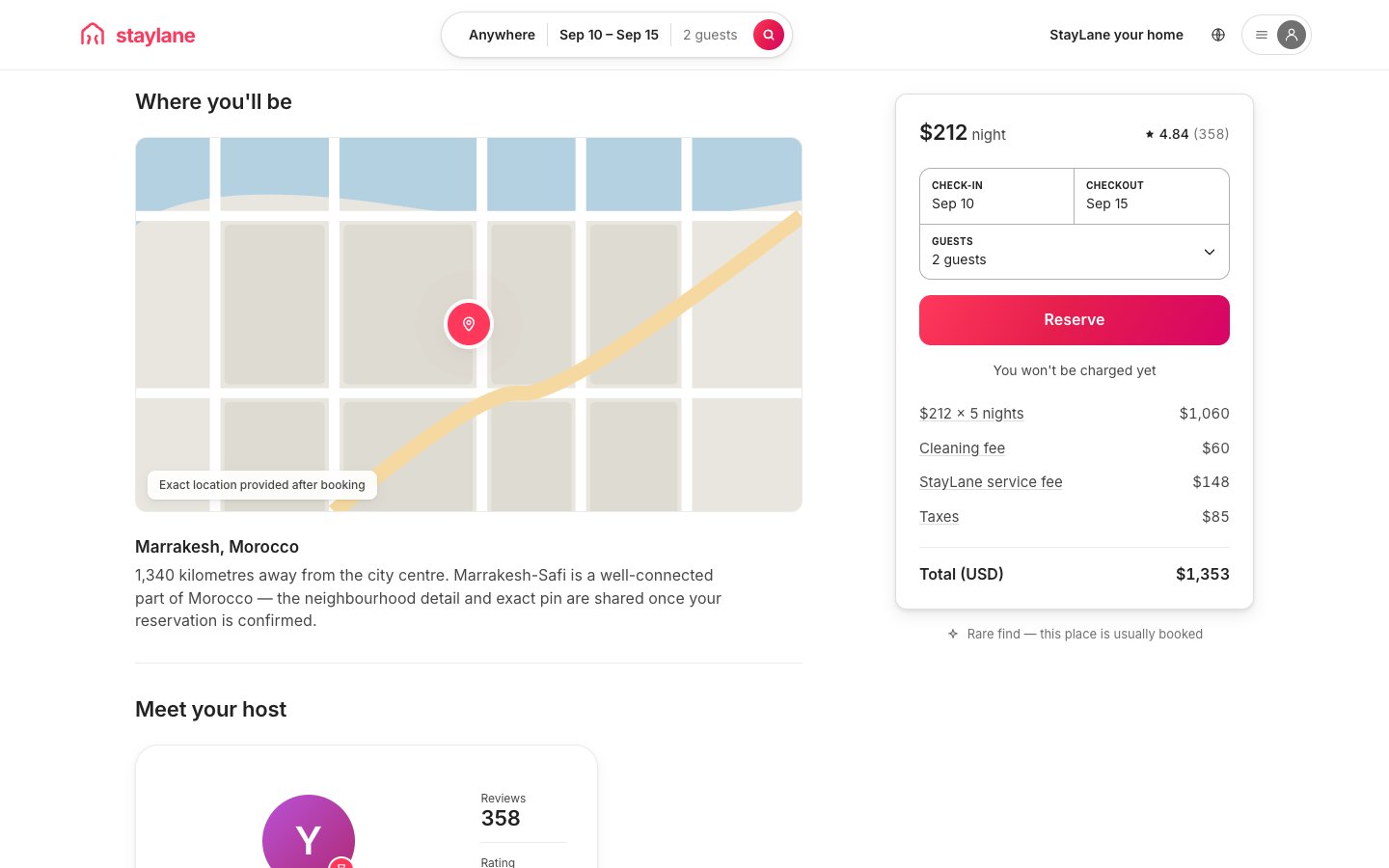
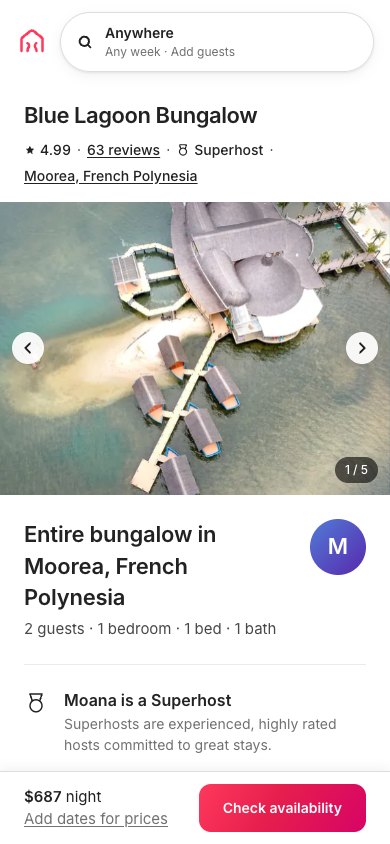
StayLane is a working marketplace. The search pill is four segments (destination text, a two-month range calendar, and guest steppers) that write one shared search state. That state filters the grid live and follows you into every listing’s booking widget. Each of the 32 stays carries five photographs through a card carousel, plus a wishlist heart, ratings, and a nightly price that re-quotes to a stay total the moment dates exist. The full /rooms route stacks a gallery mosaic, an amenity checklist, a schematic map, a host card, and a sticky booking widget that prints an itemised receipt. On a phone, the widget folds into a fixed bar with the whole flow one tap away.
Who this template is for
This build is for anyone shipping a booking-shaped product (stays, spaces, rentals, or experiences) who wants the search, grid, and checkout-adjacent mechanics solved before their own inventory arrives.
- Founders building a marketplace. The pill, ribbon, grid, and booking widget are the four instruments every one of them needs, and here all four are wired together
- React developers who want a worked example of shared search state: one context feeding a filtering grid, deep-linkable query strings, and a booking widget that agrees with the card that opened it
- Anyone studying the Airbnb interface pattern (the four-segment pill, the category ribbon, and the sticky receipt) in code plain enough to read in an evening
What problem this template solves
Most product front ends you can open and read are either a framework tutorial with three fake rows in it, or a real app whose logic is buried under a build pipeline. This build is neither.
- Interface clones stop at the layout, and the mechanics that make the product work are left as an exercise
- State rules are the hard part, and they’re exactly what a screenshot can’t show you
- A build behind a bundler is a build you can’t read: the file you open isn’t the code that runs
What you get with this template
A Vite workspace with three routed views, fifteen info pages, 32 stays, and 160 baked photographs. Run npm install, then npm run dev, and the marketplace is running.
- The sticky chrome: a brand bar, a four-segment search pill with a destination popover, a two-month range calendar and guest steppers, and a 21-category ribbon. The pill collapses to a summary on scroll and re-expands on touch
- The 32-stay corpus across six continents. Each stay has five real photographs on a card carousel, a wishlist heart, a rating, and a nightly price that re-quotes to a stay total the moment dates exist
- The full /rooms/:id route: a gallery mosaic, an amenity checklist and modal, a schematic map, a host card, and the sticky booking widget with its itemised receipt, plus the fixed mobile booking bar
Page sections overview
| Section | Purpose |
|---|---|
| The search pill | Four segments on one state, and it really filters. |
| Receipts that add up | Line items that sum to the printed total. |
| The grid | One to six columns, continuously. |
| No dead ends | Every button answers on the click. |
| Pexels photography | 160 Pexels originals, baked to WebP. |
Design and branding system
The design brief was the calm confidence of the booking pattern, built in tokens instead of screenshots.
- A warm white ground with one coral accent that always means act. Primary buttons, active states, and the saved heart all draw from the same token
- Inter throughout, with tabular numerals in every receipt, so a re-quote changes the digits without the lines breathing
- Hairline borders and soft shadows do the separating. The only hard colour on a resting page is the photography
Mobile and speed optimization
The desktop chrome recomposes in stages instead of collapsing.
- The pill collapses to a three-part summary as the page scrolls and re-expands the moment any part of it is touched
- Below 960px the booking column drops under the content and un-sticks. Below 744px the tools fold away and a fixed bar pins the price and a check-availability button, which opens the full widget as a sheet
- The category ribbon stays swipeable on its own axis, and the chevrons retire on touch, where they’d only cover categories
How this template helps you convert
A working product beats a mockup. The page is arranged so a visitor can use the thing before deciding anything.
- Visitors use it right away, because the live build is on the page with no signup or install in the way
- Every mechanic is inspectable, which turns a curious visitor into someone who wants the brief behind it
- Paying once for the prompt is a concrete next step while the product is still open in the tab
Other information about this template
A few notes before you build on this one.
- 58 unit tests hold the date, pricing, and filter logic. The DST anchor, the rounding contract, and the guest guards are all pinned by assertions, not by hope
- The Pexels fetch pipeline ships with the workspace (bring your own free key), but the manifest and all 160 WebP files are already baked, so the app makes zero photo-API calls at runtime
- The demo is honest about being a demo: signing in stores nothing and says so, messages aren’t sent, and the footer says it’s a design study
- Both vercel.json and a scoped .htaccess are included, so the build deploys to either hosting style unchanged
Receipts you can print
Dates are anchored to local noon, so a night count can never lose an hour to daylight saving time. The weekly discount lands before the percentage lines, and every percentage line rounds individually off the discounted subtotal, so the lines shown always sum to the total shown. Capacity and date-order guards argue back before the maths runs, and 58 unit tests hold the date, pricing, and filter logic.
No dead ends
Every button answers on the click. Share copies the link and says so, save flips a brand-filled heart and shows a toast, and the underlined review and location stats scroll to their sections. All fifteen footer links open pages with real copy, and the auth, locale, and host-message modals resolve honestly as demos. The 160 photographs are Pexels originals baked to two WebP widths with gradient placeholders, credited in the footer.
Screenshots
Captured from the live build, section by section, exactly as the template renders.