Quick summary
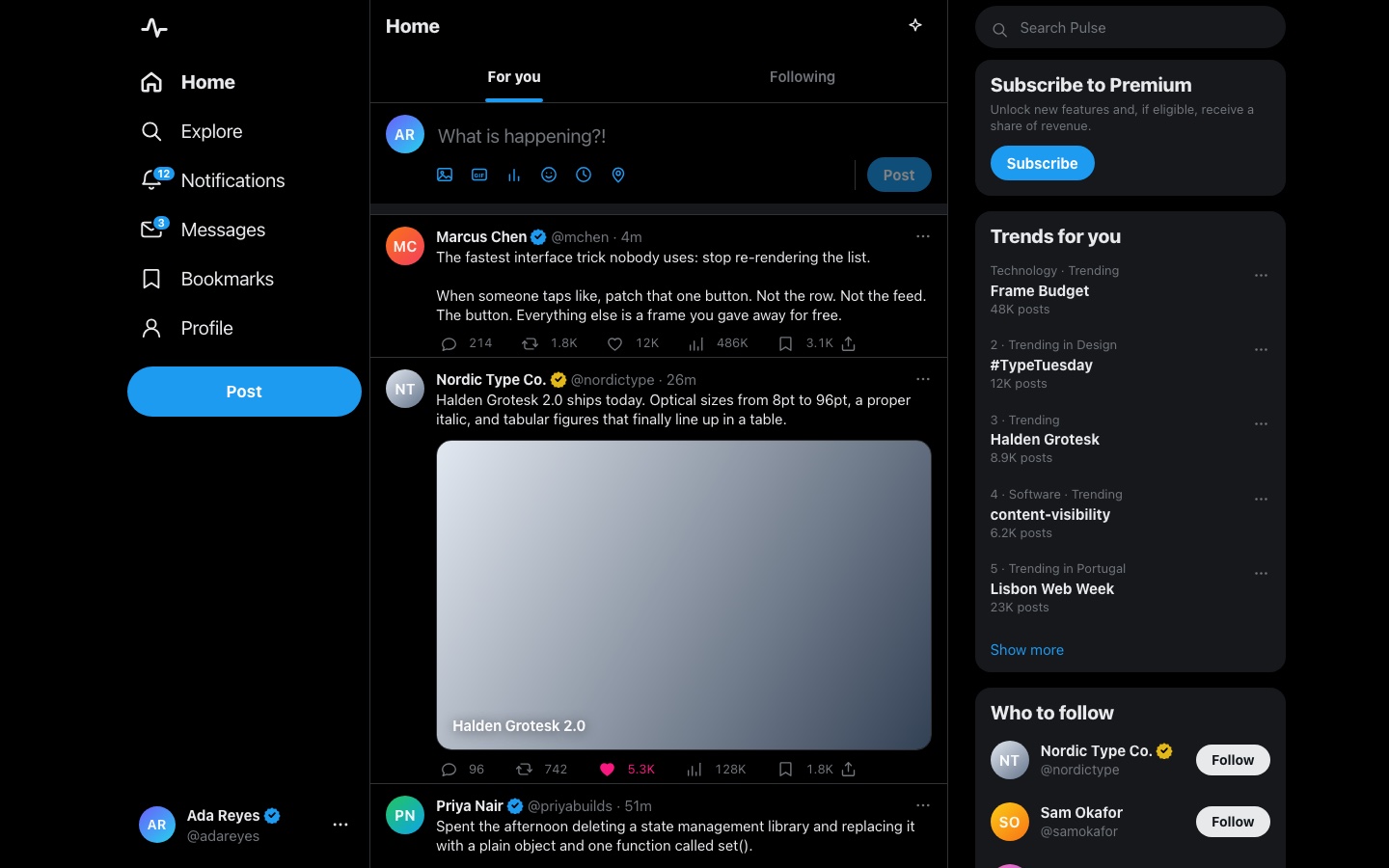
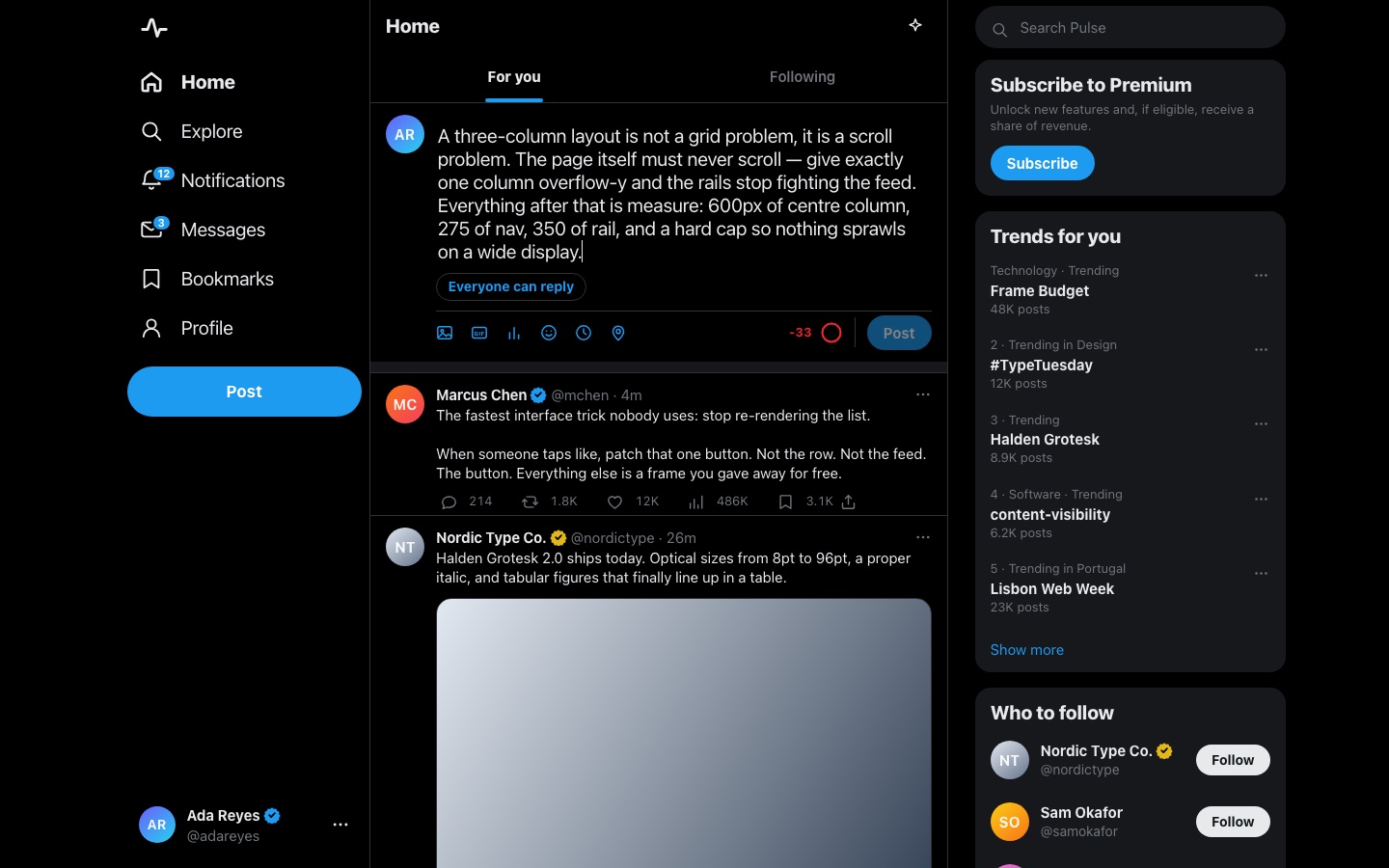
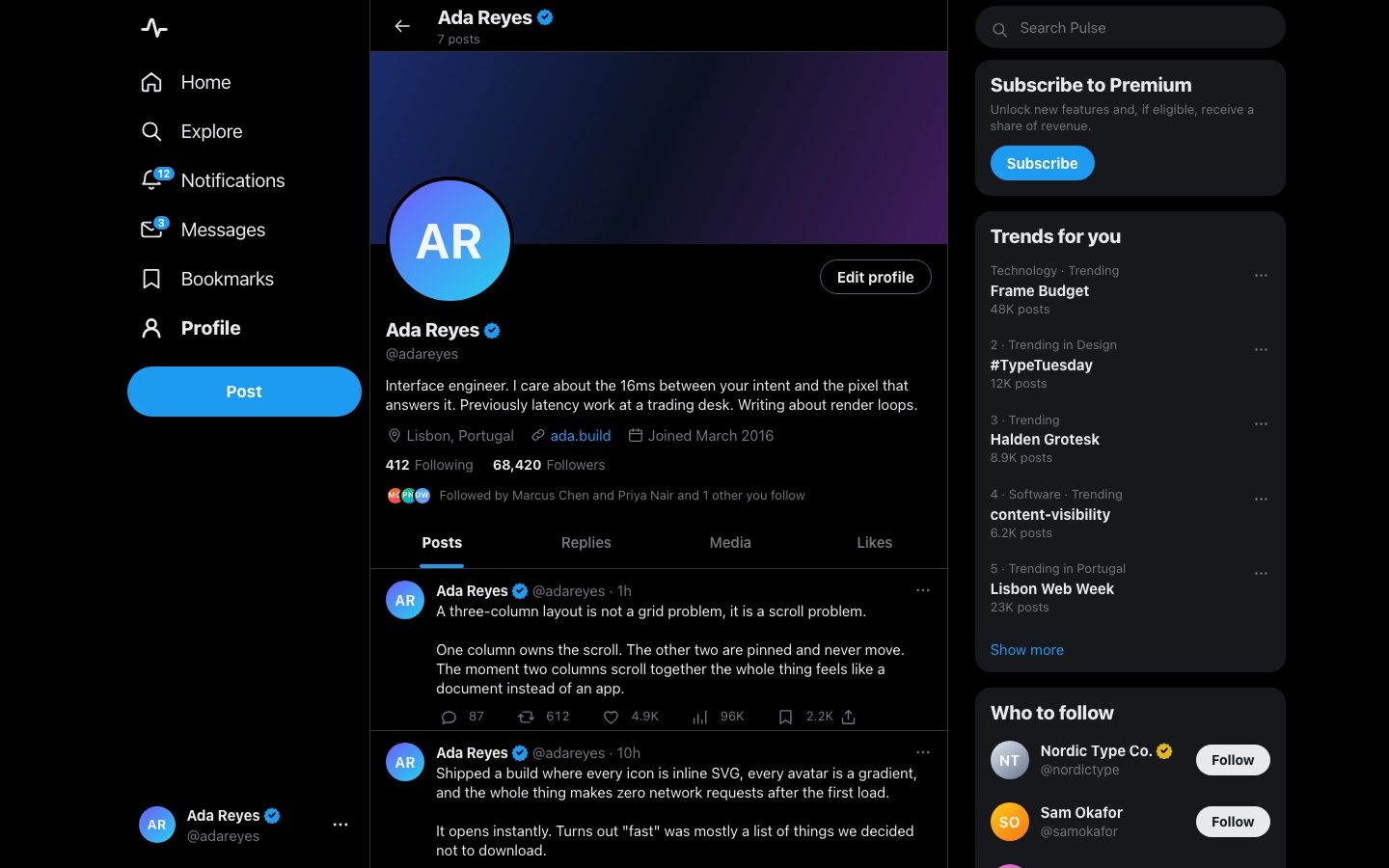
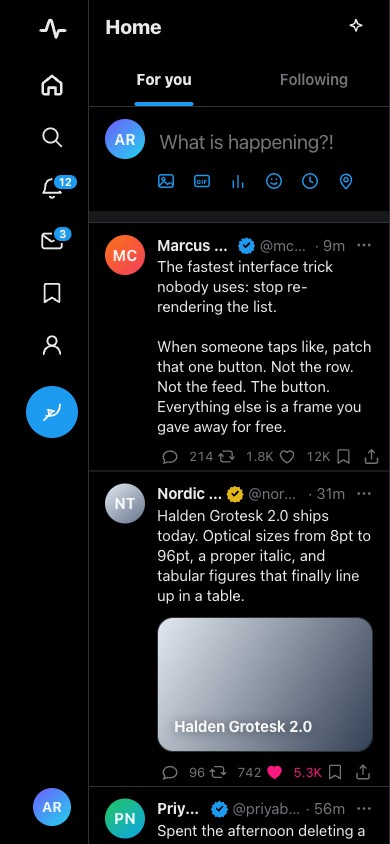
Pulse is a working timeline. The page itself never scrolls. Exactly one column owns the wheel, with the nav hugging the feed from the left and the trends rail scrolling independently on the right. The composer leads the feed. It’s a borderless box whose progress ring fills as you type, shows the countdown at 260, and turns red past 280. At that point the Post button is disabled, and it stays disabled until you’re back inside the budget. Under it, eighteen posts carry avatars, verified seals, live-ageing timestamps, and a six-action bar whose counts move on the same frame as the click. Press Profile and the centre panel becomes a banner, bio, follower metrics, and a four-tab timeline, without the window ever reloading.
Who this template is for
This build is for anyone who wants the feel of a modern social product in code plain enough to read in an evening: the instant click, the counter that argues back, and the view swap with no page load.
- Builders shipping a feed-shaped product (community, updates, changelog, or social) who want the interaction loops solved before their own data arrives
- Developers who want a worked answer to “why does this app feel fast”: surgical DOM patches, one delegated listener per timeline, and views that hide instead of dying
- Anyone studying the X/Twitter interface pattern (the three-column grid, the 280 budget, and the action-bar economy) without wading through a framework to see it
What problem this template solves
Most product front ends you can open and read are either a framework tutorial with three fake rows in it, or a real app whose logic is buried under a build pipeline. This build is neither.
- Interface clones stop at the layout, and the mechanics that make the product work are left as an exercise
- State rules are the hard part, and they’re exactly what a screenshot can’t show you
- A build behind a bundler is a build you can’t read: the file you open isn’t the code that runs
What you get with this template
One HTML page, one stylesheet, and ten JS modules in dependency order. The file you open is the code that runs.
- The full three-column shell: a right-aligned nav rail with badge counts and a rounded Post button, the 600px bordered feed that alone owns the scroll, and a trends-and-follow rail
- The composer with its live ring: code-point counting, the countdown from 260, the hard stop past 280, Cmd/Ctrl+Enter to post, and new posts landing at the top of the feed
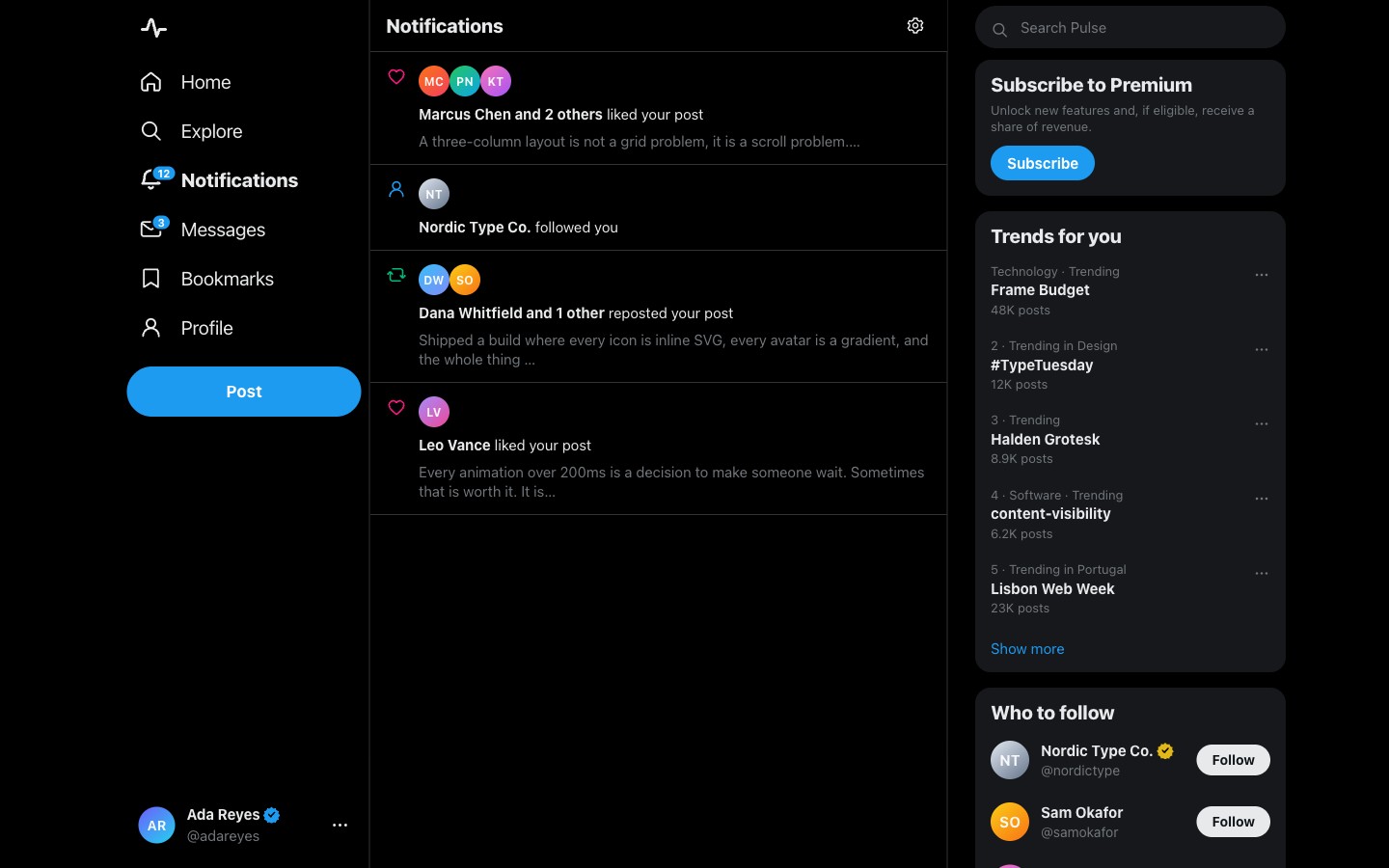
- Six routed views (Home, Explore, Notifications, Messages, Bookmarks, and Profile) on hash routes that survive opening straight off disk, with per-view scroll memory
Page sections overview
| Section | Purpose |
|---|---|
| One scroll owner | The page never scrolls. The feed does. |
| The 280 ring | A counter that argues back, in code points. |
| Surgical toggles | A click repaints one button and nothing else. |
| The profile swap | A second layout with no page load. |
| A self-contained corpus | Eight authors, eighteen posts, zero requests. |
Design and branding system
The design brief was the editorial look of the X timeline, built in tokens instead of screenshots.
- An ink-black ground with one signal blue. The accent carries links, the ring, the active nav state, and the Post button, so colour always means the same thing
- Pink, green, and blue action states tint their own buttons only on interaction, so the resting timeline stays monochrome the way an editorial page should be
- Inter throughout, with tabular numerals on every count, so a tally can change without the row breathing
Mobile and speed optimization
The desktop grid composes down in stages instead of collapsing all at once.
- At 1100px the nav drops its labels to icons. At 1000px the rail bows out and the feed keeps its 600px measure and centres, because long lines are the fastest way to lose a reader
- At phone width the action bar sheds its one stub action and a redundant tally, so every real count stays on one row. That was checked by measurement instead of by eye
- Reduced motion retires the burst animation and the composer nudge while every toggle, count, and view swap keeps working
How this template helps you convert
A working product beats a mockup. The page is arranged so a visitor can use the thing before deciding anything.
- Visitors use it right away, because the live build is on the page with no signup or install in the way
- Every mechanic is inspectable, which turns a curious visitor into someone who wants the brief behind it
- Paying once for the prompt is a concrete next step while the product is still open in the tab
Other information about this template
A few notes before you build on this one.
- Ten modules load as classic script tags in dependency order (icons, dom, data, store, components, composer, feed, profile, chrome, and app), and the whole thing opens off the filesystem with no server
- A 69-assertion self-test drives the real app in a same-origin iframe: layout scroll ownership, every counter boundary, each toggle in both directions, and that the profile swap never reloads the window
- All person-authored text passes one escape function at the component boundary before mentions and hashtags are linkified. The order is critical, and it’s documented in the file headers
- Attachments, search, analytics, and DMs show a toast instead of pretending. Bookmarks is real and rebuilds from the live bookmark flags on every visit
Why it feels fast
A click patches one button. The store returns {active, count}, and the handler flips a class and rewrites one text node, so nothing re-renders. About 110 action buttons in a timeline all share a single delegated listener. Views are never destroyed. Once a route has been visited, its DOM stays in the tree with hidden set, so a round trip from Home to Profile and back is a class toggle plus a restored scroll position. Post cards carry content-visibility: auto, which lets the browser skip paint below the fold.
The character budget
Length is counted in code points, not UTF-16 units, so one emoji costs one character. The ring is a stroke-dashoffset arc that fills to len/280 on every input event, with no debounce. Exactly 280 still posts, and 281 cannot. Person-authored text is escaped at the component boundary before @mention and #tag linkification, in that order, so user copy can never become markup.
Screenshots
Captured from the live build, section by section, exactly as the template renders.