Quick summary
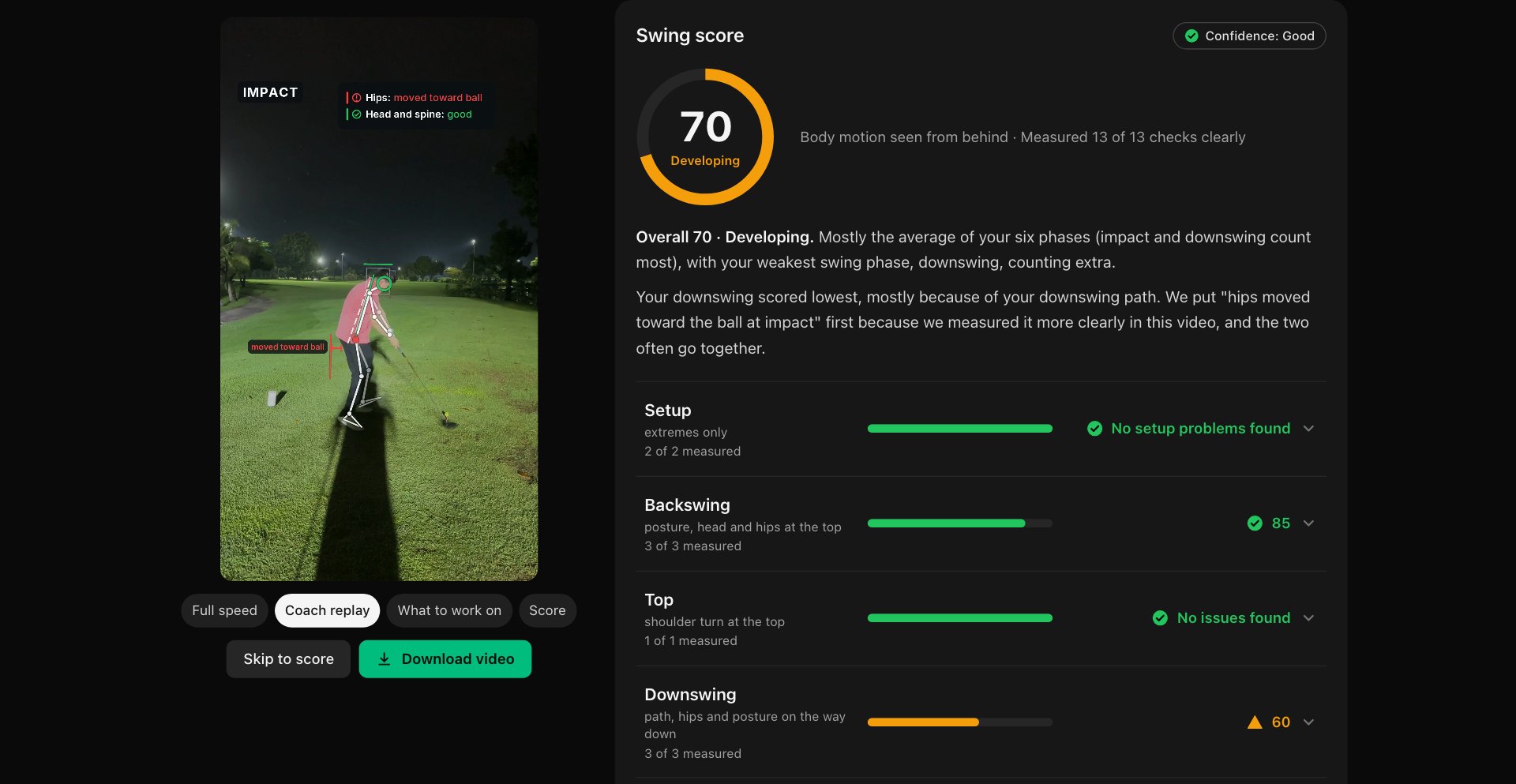
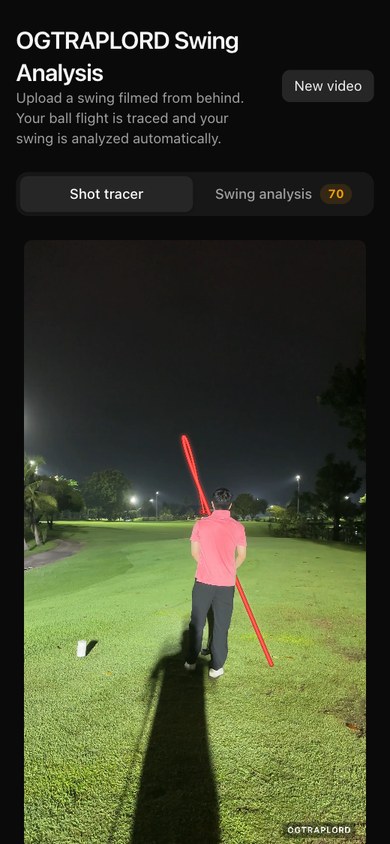
Golf Shot Tracer is a working app. Upload a swing filmed from behind and it comes back with two things. First, the same video with the ball flight drawn on it — one clean line from the tee into the sky and down to where it lands, with the original sound kept. Second, a swing report: your #1 thing to work on with a drill, what you already do well, a score for Setup, Backswing, Top, Downswing, Impact and Finish, and a coach-style replay video with the body skeleton and freeze frames. No clicks are needed — the app finds the ball, the moment of impact and the far fairway by itself — and when a result is not right you can correct it with a tap. It is in private beta behind one shared password: ask for access.
Who this template is for
This build is for golfers who film their swing on a phone and want more than a slow-motion replay — and for anyone building a product that turns a phone video into a measured, plain-language result.
- Golfers who film from behind on the range and want the ball flight drawn on the clip, plus one clear thing to work on instead of a wall of angles
- Coaches and academies curious what a self-serve down-the-line check could look like before a lesson
- Builders studying a real video product end to end: uploads in pieces, background jobs, computer vision, a physics fit and a report written for people rather than engineers
What problem this template solves
Most phone golf apps either draw a line you cannot check or bury the swing under angles nobody can act on. This build goes after both.
- Tracer apps often need the ball and the target marked by hand on every clip, and rarely say which part of the line was tracked and which was guessed
- Swing apps show a dozen angles and leave you to work out what matters, when a range session needs one thing to fix and one drill
- Flight numbers from a single phone camera are rough, yet they are often presented as if they came from a launch monitor
What you get with this template
A working two-part app: a static Next.js front end served from this site, and a Python processing service that does the tracing and the analysis.
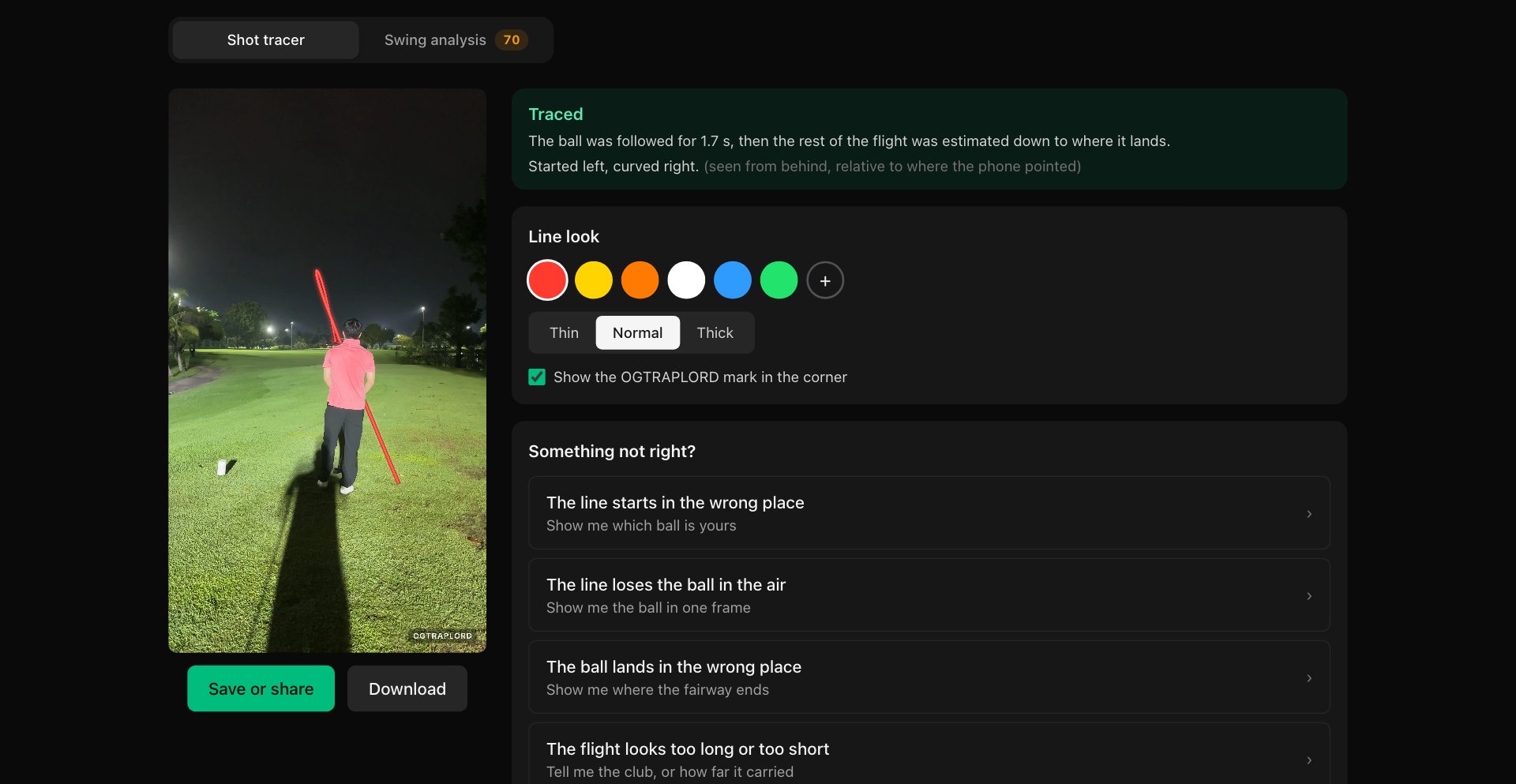
- The shot tracer: the ball, the moment of impact and the far fairway found automatically, camera shake removed, the ball tracked frame by frame and a physics-fitted flight drawn as one clean line, with Save or share and a download
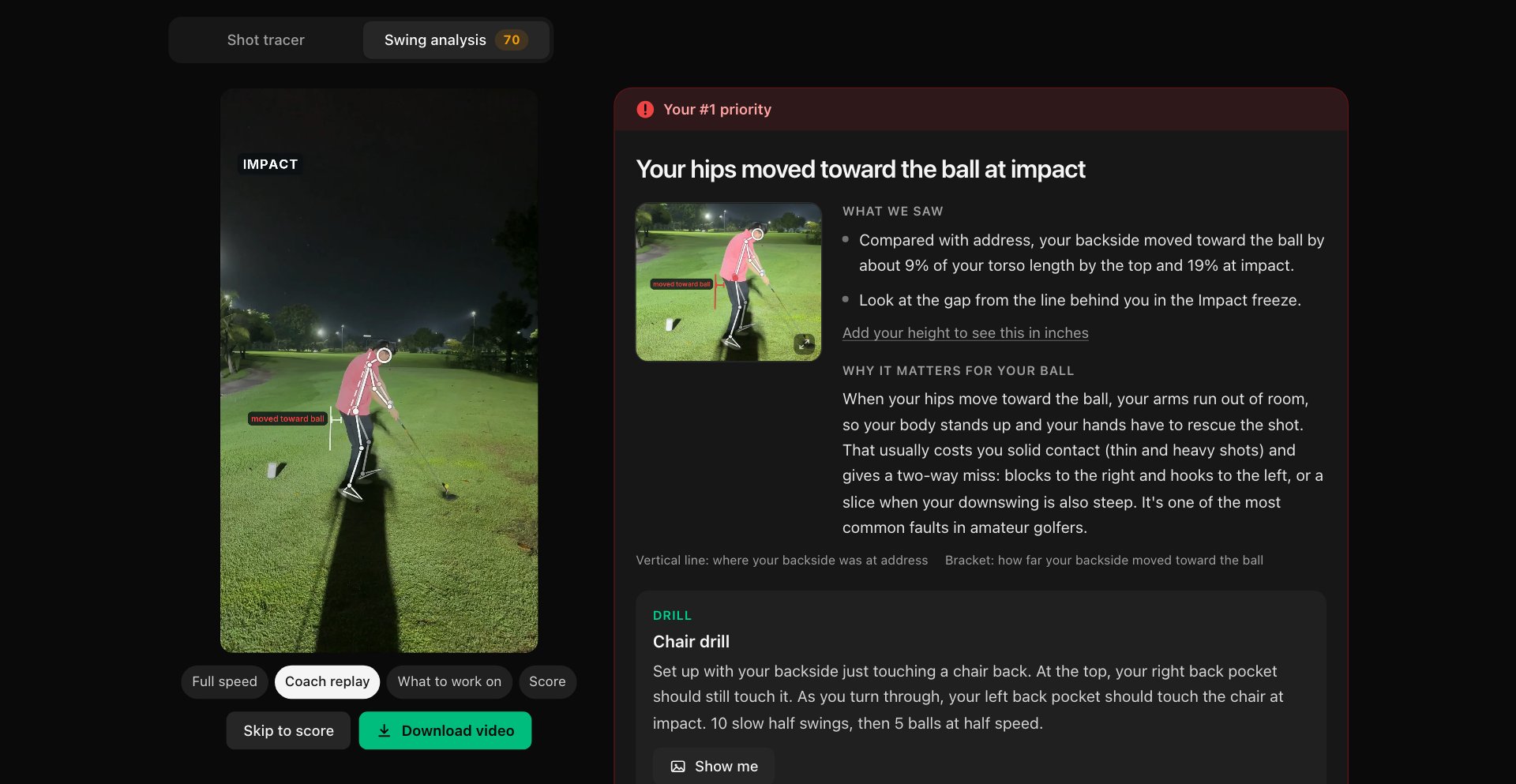
- The swing report: body tracking around impact, 13 checks scored into six phases, your #1 priority with a drill, what you already do well, and a coach-style replay video of under a minute with freeze frames
- The plumbing: uploads in 16 MB pieces, background jobs, a history for each browser, a shared-password gate and a processing server that sleeps when nobody is using it
Page sections overview
| Section | Purpose |
|---|---|
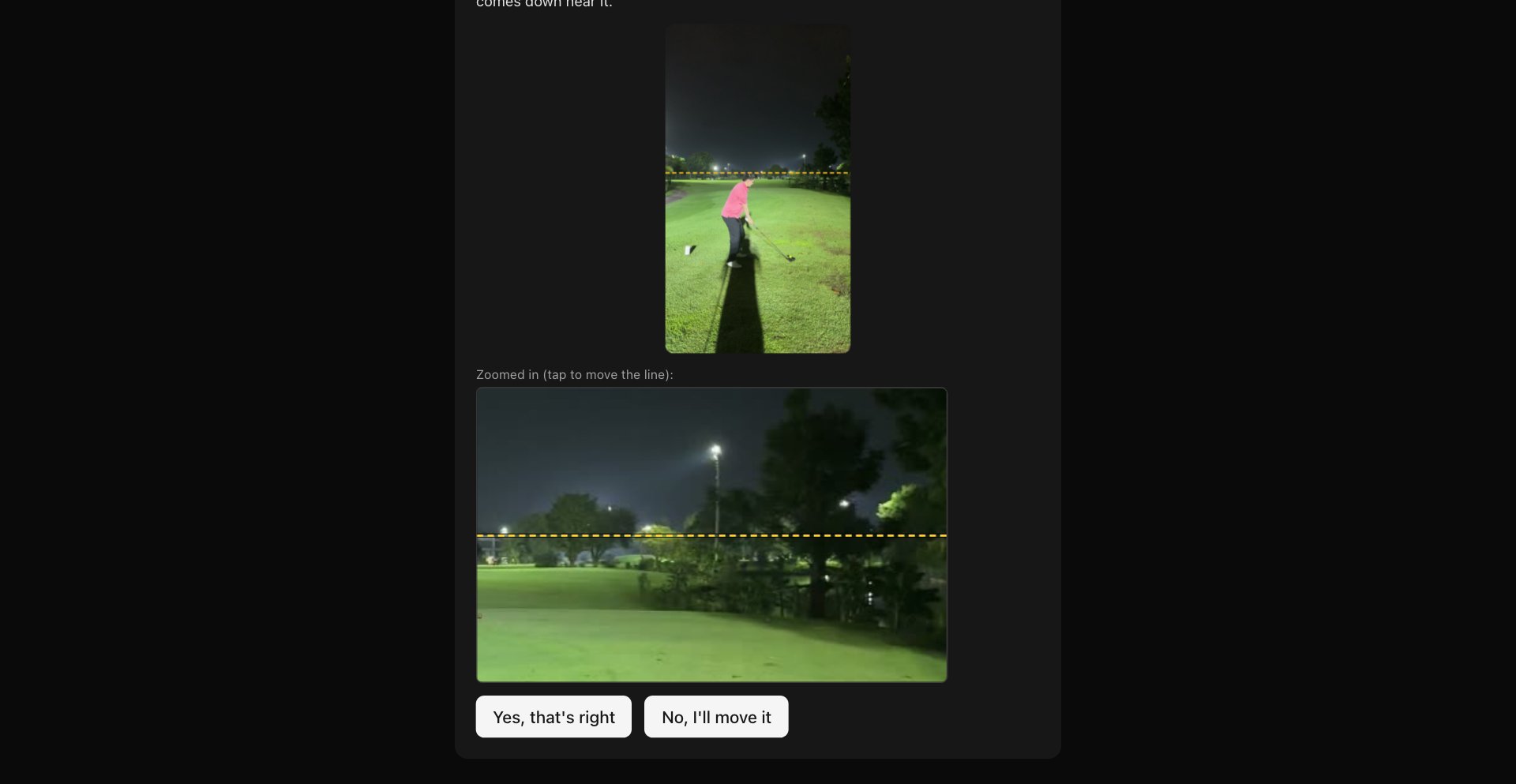
| Automatic Setup | No clicks: ball, impact and fairway found for you. |
| The Shot Tracer | Tracked while visible, physics after. |
| Honest Results | Partial, amber or refused — never faked. |
| The Swing Report | One priority, one drill, a score you can trace. |
| The Coach Replay | Slow motion, skeleton, five freezes. |
| Fix It By Hand | Corrections without starting again. |
Design & branding system
The interface is a dark room built around the video: everything else gets out of the way of the line.
- A near-black ground so the tracer and the floodlit range read first; red for the line, green for go and a good verdict, amber for “check this”, and the #1 priority the only red card on the page
- Plain words over numbers — “Your hips moved toward the ball at impact”, with the measurement underneath — never a bare angle
- Every score row says how much of it was measured, so a confident number and a partial one never look the same
Mobile & speed optimization
Golfers upload from the phone they filmed on, so the phone is the main screen, not an afterthought.
- One column on a phone: the tabs, the video and the result stack in reading order, with no sideways scroll at 390px — checked by an end-to-end test
- Uploads go up in 16 MB pieces and videos come back in ranges, so a 4K iPhone clip gets through a phone connection; Save or share hands over a phone-sized copy
- iPhone footage works as filmed: 4K HEVC, vertical and HDR clips are decoded and tone-mapped on the server
How this template helps you convert
The page is honest about where the app stands: a private beta, open to golfers who ask.
- The screenshots are a real night swing run through the real app, so a visitor sees an actual result before asking for anything
- Access is one shared password for now — ask for it, upload a swing and see your own trace and report a few minutes later
- Clubs, coaches and academies who want it under their own name can start a project from the same page
Other information about this template
A few honest notes before you ask for access.
- It is a private beta behind one shared password, with no accounts and no payments yet — ask for access from this page
- Swing scores are provisional: the thresholds are still to be calibrated on a large set of golfers. It has been tested mostly with the driver — irons and wedges are beta — and only the down-the-line camera, from behind, is supported
- Film from behind your hands, pointing at the target, at hand height, with your whole body and plenty of sky in the picture; 60 fps helps. Where the camera cannot see something, the report says “not measured” instead of guessing
- Processing runs on a pay-per-use server with a monthly cap, so the app can pause until the next month if the cap is reached. Each browser sees only its own videos, history and results
How it works
the pages are a static Next.js export served from this site; the processing runs in a Python service (FastAPI) on Google Cloud Run. ffmpeg decodes the clip with the phone’s rotation applied, OpenCV removes camera shake and finds the ball, a fitted 3D flight model finishes the line, and MediaPipe’s pose model tracks the body for the swing report. Before a build ships, a release check of about 500 tests runs — clips checked by eye, scoring references, and a sweep that proves a worse swing can never score higher.
What it will not tell you
carry distance, ball speed or hang time. A phone behind the golfer cannot see them reliably, so the tracer gives a shot shape — “started left, curved right” — and labels the descent as an estimate. Where the ball comes down on screen is fairly reliable; how fast it drops depends mostly on the carry you enter.
Screenshots
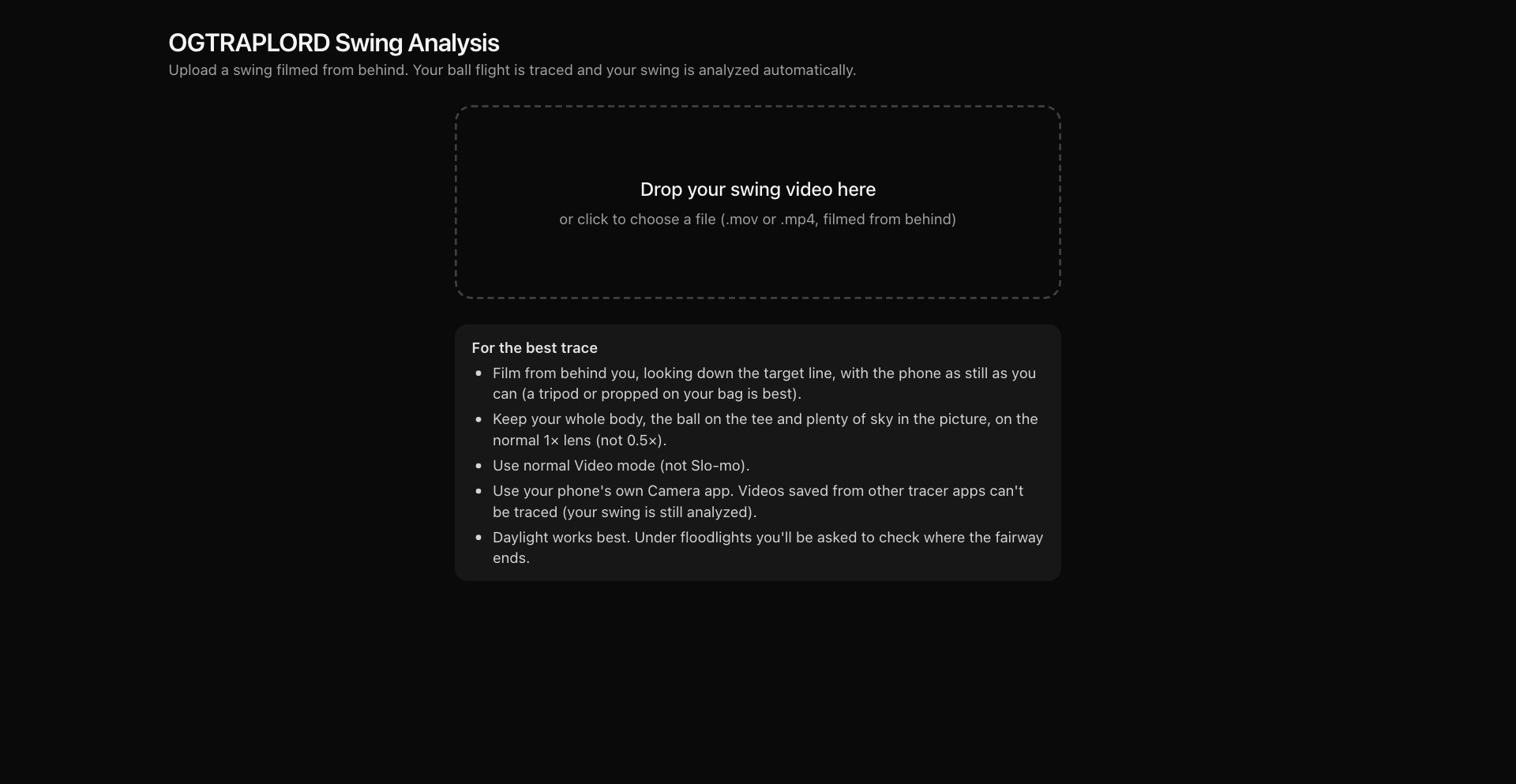
Captured from the real app on a real night swing — the upload, the fairway check, the traced shot and the swing report. Nothing here is a mock-up.