Claude skill
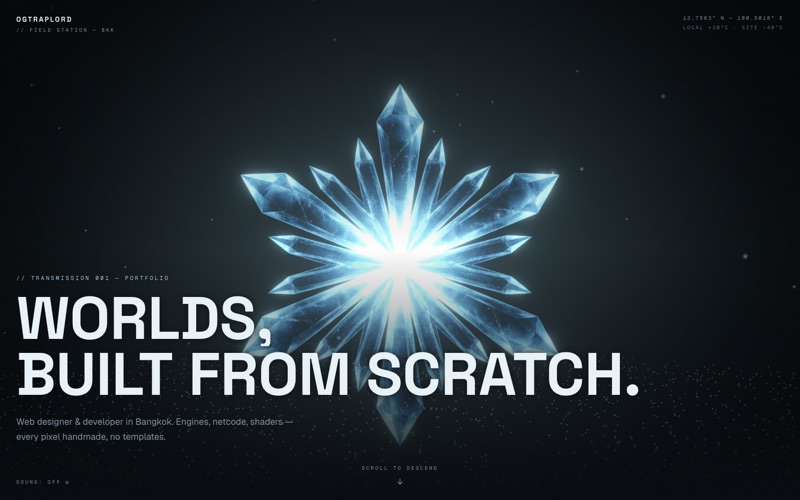
The one-prompt cinematic scroll toolkit. It generates a high-end hero clip (an orbit, a fly-through, or a reveal), slices it into a scroll-scrubbed canvas frame sequence, and builds a branded multi-section site around it. There’s no build step.
This skill makes its own cinematic footage from your prompt, so there’s no single build to embed here. The manifest further down lists exactly what one run writes to disk.
This skill generates its hero footage on the fly, so there’s no fixed demo to embed. The manifest below is exactly what a run emits.
This is the fastest route to a premium scroll site. You write one prompt and get a finished, branded, multi-section page with a generated cinematic hero at the top.
It reads your prompt, decides the brief itself, generates a hero keyframe and one or two cinematic clips from it, slices them into a scroll-scrubbed frame sequence, and assembles a full site around the result in plain HTML, CSS, and JS. There’s no build step and no interview, because the whole pipeline runs from that single prompt.
This is the fastest of the three scroll skills: one prompt in, a finished branded site out.
The viral “3D scroll” effect is widely copied and widely misunderstood, which is why most attempts at it fail in the same three ways.
The download is a complete pipeline that runs from a single prompt, including the parts that normally need a specialist.
| Step | What happens |
|---|---|
| Ensure ffmpeg | Remove the one dependency that normally blocks the build |
| Decide the brief | Turn one sentence into a site type, a subject, a palette, and two motions |
| Generate the hero keyframe | Establish the look in one still before spending on video |
| Generate the cinematic clips | Produce one or two hero moves in parallel |
| Slice and compress the frames | Convert the clip into something scroll can scrub |
| Build the site from templates | Wrap the hero in a full multi-section page |
| Launch and check | Serve it and confirm the scrub before handing it over |
The visual direction is decided from the brief instead of being handed over as a blank theme, which lets one prompt produce something that looks art-directed.
The output is a static folder. Everything about the performance profile follows from the frames.
This skill exists to collapse a specialist production into an afternoon.
Worth knowing before you download it.
This is the exact set of artefacts a single run writes to disk, in place of a gallery of other people’s builds.
| Hero keyframe | One high-quality still, used as the start frame for the video and as the page’s poster image |
|---|---|
| One or two clips | 6-second 1080p cinematic moves generated from that keyframe, in 16:9 |
| ~180 numbered JPGs | The sliced and compressed frame sequence the canvas scrubs through |
| index.html | The full multi-section branded site, with the scroll engine inline |
| Stylesheet and scripts | Plain CSS and JS, plus Lenis for smooth scroll, with no bundler and no build step |
| A local preview | A running server on localhost so the scrub can be checked before deploy |
This is the fastest of the three scroll skills: one prompt in, a finished branded site out. The “Who this skill is for” section above lists the three cases it fits best.
A Claude skill: the full method, plus the scripts and reference material it needs. It installs into your own Claude Code setup and runs there, so it never sends anything about your project to me. You can also take just the SKILL.md if you want to read the method before installing it.
Yes. The zip and the raw SKILL.md are both free downloads. You just need a free account so the downloads can be tracked.
No, and that’s the main thing the skill sets straight. The effect is a canvas image-sequence scrub: about 180 frames are preloaded, and the one drawn to the canvas is chosen by scroll position. All of the “3D” comes from the source footage.
Roughly one to two dollars of Higgsfield credits, because the hero keyframe and one or two 1080p clips are generated. Everything after that is local ffmpeg work and costs nothing.
Every step in the sidebar and the overview table is part of how this skill runs. There are 7 of them, and the “Skill steps” panel beside the article describes each one. Expand any row to read what it does.
That’s the intended path. Nothing ships as is. I rebuild it around your brand, your copy, and your goals. Start a project and tell me what you’re building.
Scroll Cinematic ships as a Claude skill: one download with the whole method inside it. Install it, point Claude at it, and build.
Download skill (.zip) or just read the SKILL.md