Quick summary
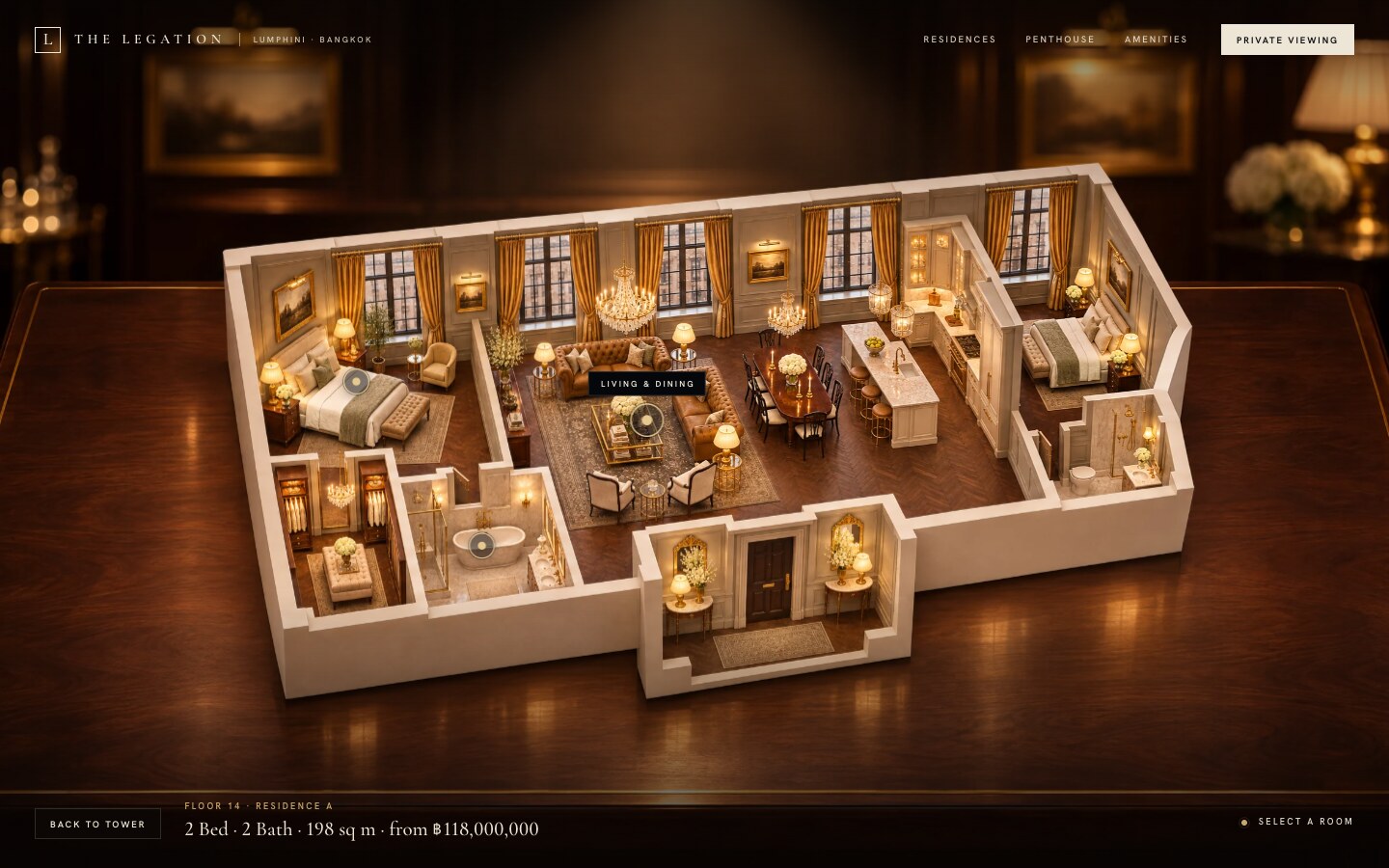
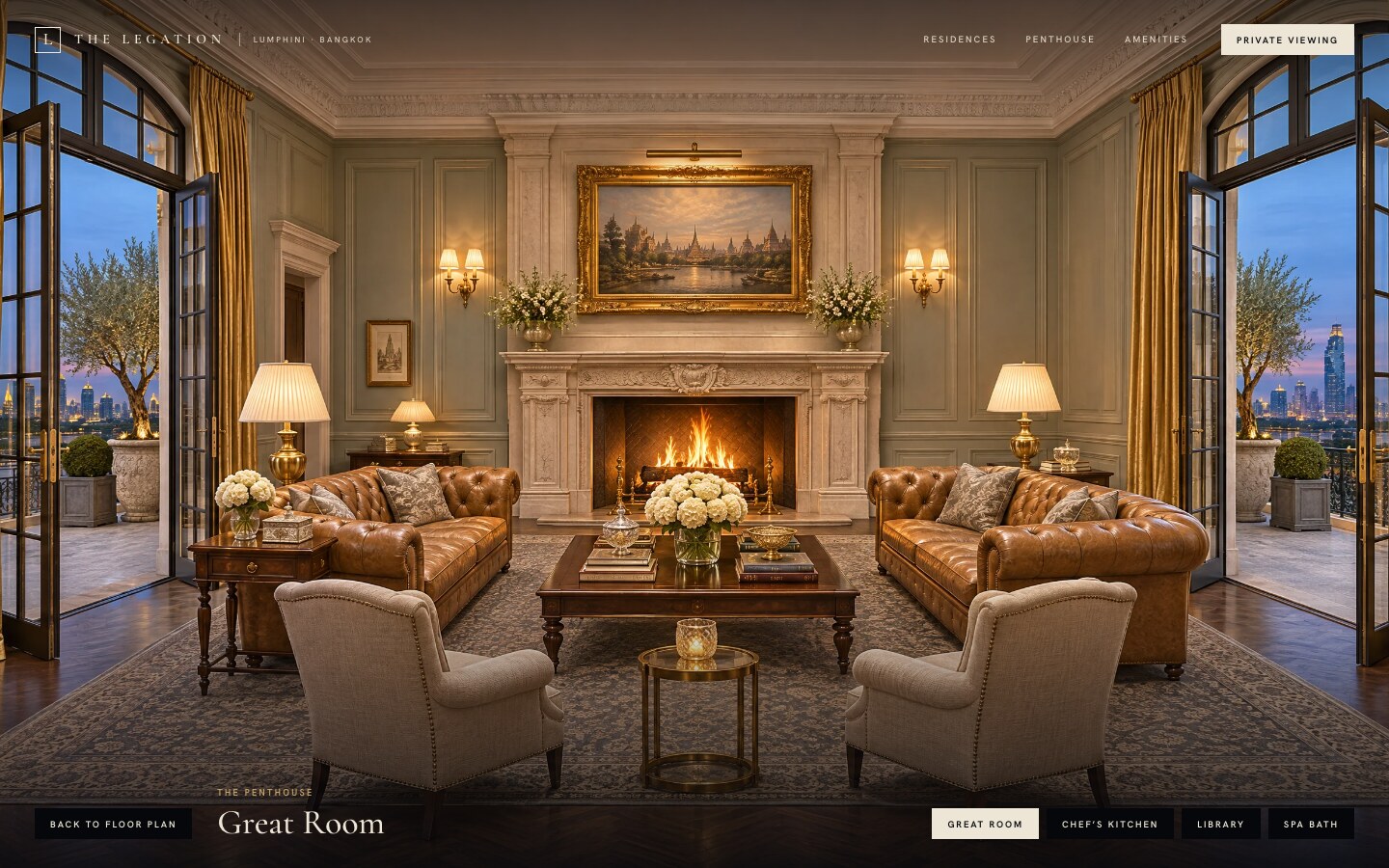
The Legation is a sales page for a single residential tower, shown here as a made-up building of 22 storeys in Bangkok. The first screen is one photograph of the tower at dusk. Point at a floor and it lights up in warm gold, while a small card beside the tower shows the floor number, the home, its size, and whether it’s sold or reserved. Click the floor and the page zooms toward it and fades to dark. Then a photograph of the home’s cutaway model, standing on a mahogany table in a panelled sales gallery, fades up with a brass ring on each room. Open a room and it fills the screen, with a button for every other room and one to go back to the plan. The top of the tower is the penthouse, which passes through a close view of the crown and shows its price and facts in a side panel. Below the tower, five chapters rise over it as you scroll: the house, the residences with a row of rooms that travels sideways, the amenities, the address, and a form to ask for a private viewing. Every picture is computer generated.
Who this template is for
This build is for anyone selling homes in one building, like a developer’s sales site, the screen in a sales gallery, or an agent with a single tower to show. It suits a project where buyers want to choose a floor and look inside a home before they book a visit.
- Developers with one tower and a few home types, where the building itself is the clearest way to find your way around
- Sales teams who have, or can have made, a photograph of the building, a model of each home type, and pictures of the rooms
- Owners who want to change the floors, the sold and reserved lists, and the rooms themselves. One block at the top of one script holds all of it
What problem this template solves
Most property sites put the building in a slideshow and the homes in a table. Buyers scroll past a row of renders and a list of unit numbers, and nothing ties a floor to the home on it.
- A table of floors and prices tells a buyer nothing about where the home sits in the building or what its rooms look like
- Flat floor plans are hard for most people to read, and a PDF download sends them away from the page
- A 3D tour needs a model of every home and a heavy viewer, when most projects already have good pictures
What you get with this template
You get the finished page with every level working on a desktop and on a phone, plus a clear spec for the pictures it needs.
- The tower: one full-screen photograph of the building with every floor as a real button, a warm light on the floor under the pointer, and a card beside it with the floor, the home, its size, and whether it’s sold
- The floor plan and the rooms: a photograph of each home’s cutaway model with a brass ring on every room you can open, then each room full screen, with a way back at every step
- Five chapters below the tower that move as you scroll: the house, the homes with a row of rooms that travels sideways, the amenities, the address, and a form to ask for a viewing
Page sections overview
| Section | Purpose |
|---|---|
| The tower | Let buyers find a home on the building itself |
| The floor card | Say what each floor holds before anyone clicks |
| The floor plan | Open the home as a model on a table |
| The penthouse | Give the top of the building its own way in |
| The rooms | Walk through the home one room at a time |
| The chapters | Tell the story of the building as the page scrolls |
| Private viewing | Ask for the appointment at the end |
Design and branding system
The page is dark and quiet on purpose. The pictures carry the colour, and everything around them stays small.
- Deep ink (#0A0E16) on the first screen, limestone cream (#EDE6D6) for every word, and one accent, brass (#C8A56A). The chapters below turn cream paper (#EEE8DB) and warm night (#0C0A08) in turn
- Two typefaces: Cormorant Garamond, roman and italic, for numbers, names, and headings, and Hanken Grotesk for the small spaced capitals on every label and button. Both are self-hosted variable font files
- Buttons are small and square, cream for the main one and black for the rest. The light on a floor, the rings on a plan, and the card are drawn in CSS and SVG, so they stay sharp on any screen
Mobile and speed optimization
Every level works on a phone at 390 pixels wide, and nothing scrolls sideways.
- On a phone a tap lights a floor and a swipe scrolls the page as usual, so the tower never traps the scroll. The plan is a strip you slide, and the room buttons are one row you slide
- The page animates only transforms and opacity, plus one wipe on the pictures below the tower. Every level held 60 frames a second in Chrome at desktop and phone sizes
- The tower loads first. A plan loads while the tower zooms, and its rooms load one after another once it shows. Phones get the half-size pictures. Visitors who ask their device for less motion get short fades in place of the zoom, the push-in, and the scroll motion
How this template helps you convert
The page works the way a sales gallery does. Buyers find their floor, look inside, and only then get asked.
- The building is the menu. Pointing at a floor answers the first two questions, what’s on it and whether it’s still for sale, before anyone clicks
- Every floor opens, even the sold ones, so buyers keep looking at homes and rooms instead of hitting a dead end
- The PRIVATE VIEWING button sits in the top bar over every level and in the penthouse panel, and the same request waits at the end of the page
Other information about this template
A few things to know before you build on this one.
- The Legation is a made-up building, and every picture on the page is computer generated. The names, prices, floors, and address are stand-ins for yours
- The viewing form is a demo. It thanks the visitor and sends nothing, so connect it to your own inbox or booking tool. There’s no listings back end either: the floors, the sold and reserved lists, and the rooms are one block at the top of the script
- It needs a straight-on photograph of the tower at 2688 by 1520 pixels, a close view of the crown, a photograph of each home’s model in a real setting, a picture of each room in the same finishes, six amenity pictures, and one of the entrance. The demo uses 18 pictures, each with a smaller copy for phones
- Room hotspots are rectangles laid over an angled model, so their corners don’t follow the walls
- The browser’s Back button doesn’t step back through the tower, the plan, and the room. Esc and the buttons on screen do
- It was tested in Chrome on a desktop and in phone emulation, with real clicks and taps through every level. It hasn’t been tested on Safari, Firefox, or a real iPhone yet
- The fonts are Cormorant Garamond and Hanken Grotesk, under the SIL Open Font License. Their licence files ship with the page
How it works
The page is one HTML file, one stylesheet, and two scripts: one for the tower, the plans, and the rooms, and one for the motion below the tower. There’s no build step, no library, and nothing loaded from another site. The floors, the sold and reserved lists, the homes, and the rooms live in one block at the top of the first script. Each floor is measured in pixels on the tower photograph, and each room is a ring and a clickable box in percentages of its plan photograph, so the hotspots stay on the building at every screen size. The page code is about 100 KB and the fonts about 110 KB. The pictures are the weight, so the tower loads first and everything else loads when it’s needed. With JavaScript off, the five chapters are the whole page under the tower picture.
How it was tested
Every level was walked in Chrome at 1440 by 900 and at phone size, 390 by 844 with touch, with real mouse clicks and real taps: a lit floor, a floor plan, its rooms, the penthouse, the way back to the tower, and then another floor. Each run held 60 frames a second with no console errors, and the phone layout had no sideways scroll. A keyboard-only walk with less motion turned on was run at 900 by 700. The phone numbers come from Chrome on a laptop set to phone size, so Safari, Firefox, and a real iPhone are still to be tested.
Screenshots
Captured from the live build: the tower with a floor lit, the residence floor plan, a penthouse room, the amenities chapter, and the phone view.