Quick summary
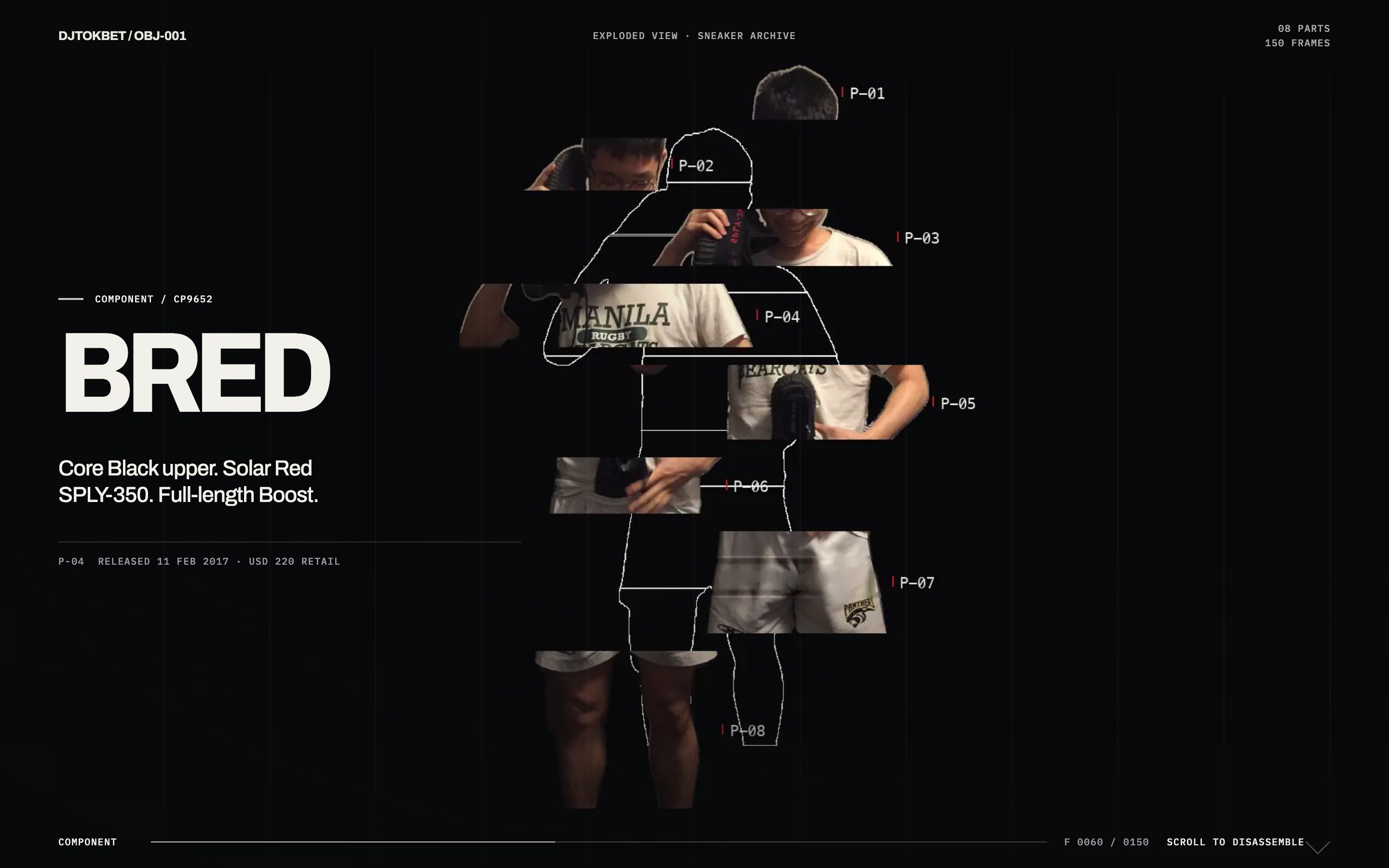
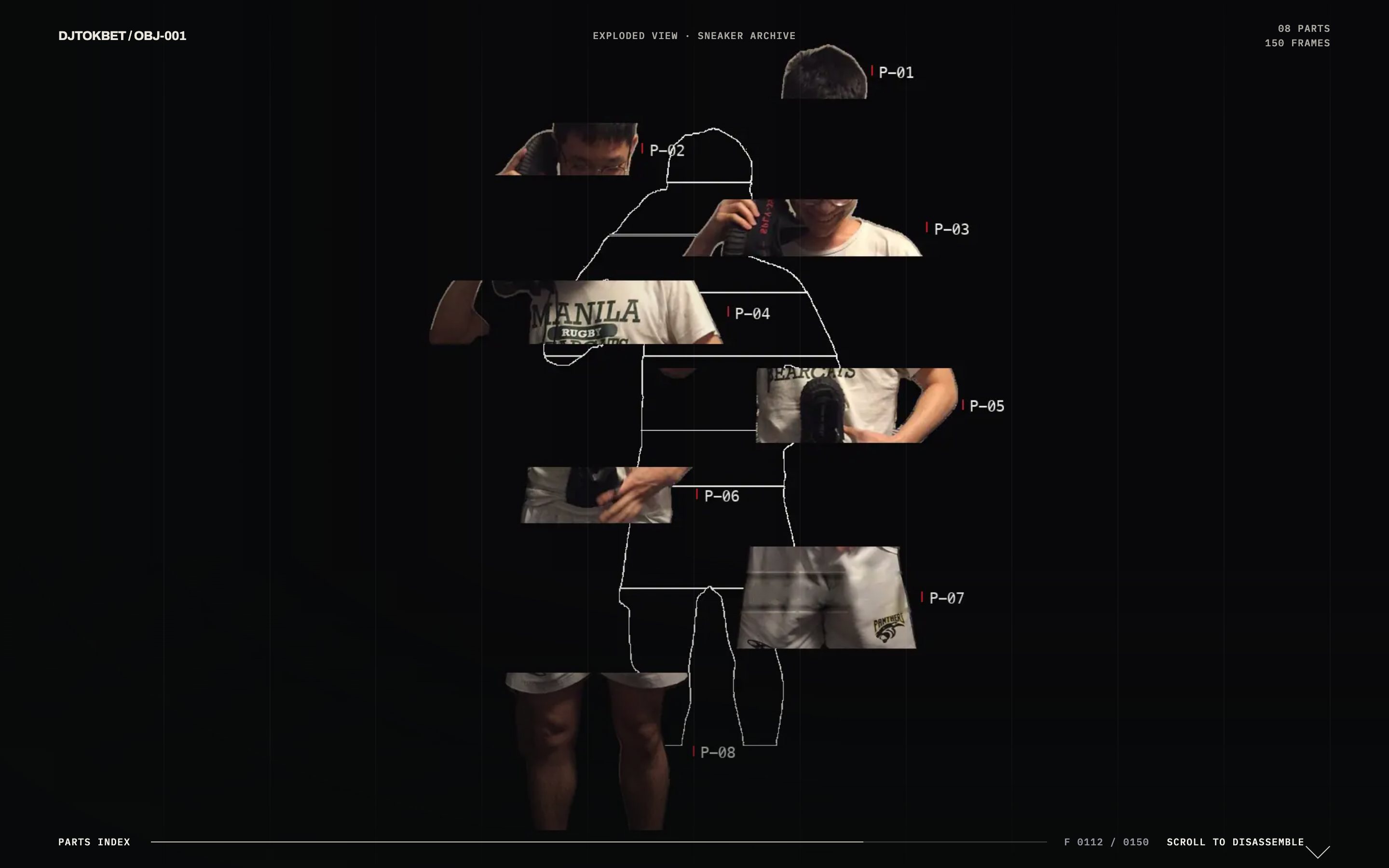
DJTOKBET Exploded View takes a single photograph and treats it like an engineering drawing. The photo shows a collector holding the pair he queued for, shot on a phone in a Bangkok bedroom. Scroll, and the picture comes apart into eight numbered parts that fan out on their own vectors. Each one leaves a thin outlined socket where it used to sit, so the assembled body stays visible as a ghost the whole way down. Nothing in the frame is generated or redrawn. Every slice is the original photograph, cut and moved. That’s the point: the person and the collection are the same object, and taking one apart itemises the other.
Who this template is for
One photograph treated like an engineering drawing. It’s for anything worth taking apart.
- Product and craft brands who want a teardown, materials story, or provenance page
- Archives and lookbooks where an object carries meaning beyond its components
- Studios needing a reference for scroll-scrubbed frame sequences with readable dwell behaviour
What problem this template solves
Most site templates look fine in a screenshot and fall apart in production. You get interchangeable sections, stock imagery, and nothing that proves craft.
- Template marketplaces sell the same layouts to thousands of buyers, so nothing ends up feeling owned
- Buyers can usually preview a design but almost never see the exact instructions that produced it
- Teams need reference builds that survive contact with real content rather than lorem-ipsum mock-ups
What you get with this template
You get a single photograph that comes apart into eight numbered parts as you scroll, each leaving a ghost socket behind, then settles back into a body.
- A 150-frame scrubbed sequence that plays the disassembly forward and back under the visitor’s finger
- Eight numbered parts fanning out on their own vectors, each leaving a thin outlined socket where it sat
- Tech-pack style callouts so the diagram reads as an argument about the object rather than an inventory of it
Page sections overview
| Section | Purpose |
|---|---|
| 150-frame scroll scrub | Scrub a frame sequence against scroll so disassembly runs both ways |
| Dwell-remapped scroll curve | Slow the scrub near each chapter so copy stays readable |
| Socket ghosting | Leave a thin outline where each part used to sit |
| Offline frame rendering | Render frames offline rather than filming the disassembly |
| Tech-pack callouts | Number and annotate each part like a specification drawing |
Design and branding system
The identity borrows from technical drawing without becoming a blueprint pastiche: warm paper ground, hairline callout rules, and numerals doing the labelling.
- A warm paper ground rather than blueprint blue, so the photograph stays the brightest thing on the page
- Hairline callout rules and outlined sockets at a single consistent stroke weight, quoting drafting conventions precisely
- Numerals and monospaced part labels carrying all annotation, with no decorative type anywhere in the diagram
Mobile and speed optimization
The build is desktop-first where the cinematic moments live, with a deliberate responsive pass so nothing breaks in a pocket.
- The layout reflows to a single column on small screens, with type scales tuned by hand
- Heavy media loads late or swaps to stills on slow connections, so the first paint stays fast
- Anything that depends on hover has a touch equivalent, so no content is stranded on a phone
How this template helps you convert
The page earns attention before it asks for anything. The OGtraplord homepage runs on the same logic.
- The strongest visual moment loads first, so visitors like what they see before they read a word
- Every section answers one question and hands off to the next, which keeps the scroll moving toward the call to action
- The ask arrives only after the proof: by the time visitors reach it, the work has already made the argument
Other information about this template
A few notes on this build.
- The subject is a real photograph, not a generated image, and that gives the teardown its authority
- Subject, part names, palette, and chapter copy are all rebuilt around your object; the scrub engine carries over
- Frames ship as WebP, which keeps a 150-frame sequence within a sensible download budget
- It works hardest on objects that carry meaning beyond their components; a purely functional part list won’t sustain it
How it works
A 150-frame WebP sequence is scrubbed against scroll position, so the page plays the disassembly forward and back under your finger. A dwell curve slows the scrub near each chapter so you can read the copy, then lets go between them. That’s what stops a scroll site from feeling mechanical. The frames are rendered offline instead of filmed. The subject is lifted off its background with an on-device segmentation mask and sliced into eight parts. Then each part is drawn at an eased offset for every frame, with its socket outline left behind and its code set beside it. Desktop and mobile ship separate frame sets (4.0 MB and 1.7 MB), and the critical frames load first so the canvas never flashes blank.
Where it fits
It suits anything worth taking apart: a product teardown, a materials story, a craft or provenance page, or a spec sheet that deserves better than a table. It works hardest when the object means more than its parts, because the diagram reads as an argument about the thing instead of an inventory of it. The subject, the part names, the palette, and the chapter copy all get rebuilt around your object. The scrub engine and the drawing language carry over.
Screenshots
Captured from the live build, section by section, exactly as the template renders.